Time Tracking & Scheduling Software for Cleaning Crews

GPS time tracking, scheduling and a mobile app for your cleaning crews. Location at clock-in, photos on every job and hours per client as Excel, all in one app.

  • GPS location when clocking in at the site
  • Photo documentation on every job
  • Start, end and duration recorded per section 17 MiLoG
  • Reports per client as Excel
Start 1-Month Free TrialRequest a Demo

No credit card · Trial ends by itself · then from €69 net / month for up to 5 employees
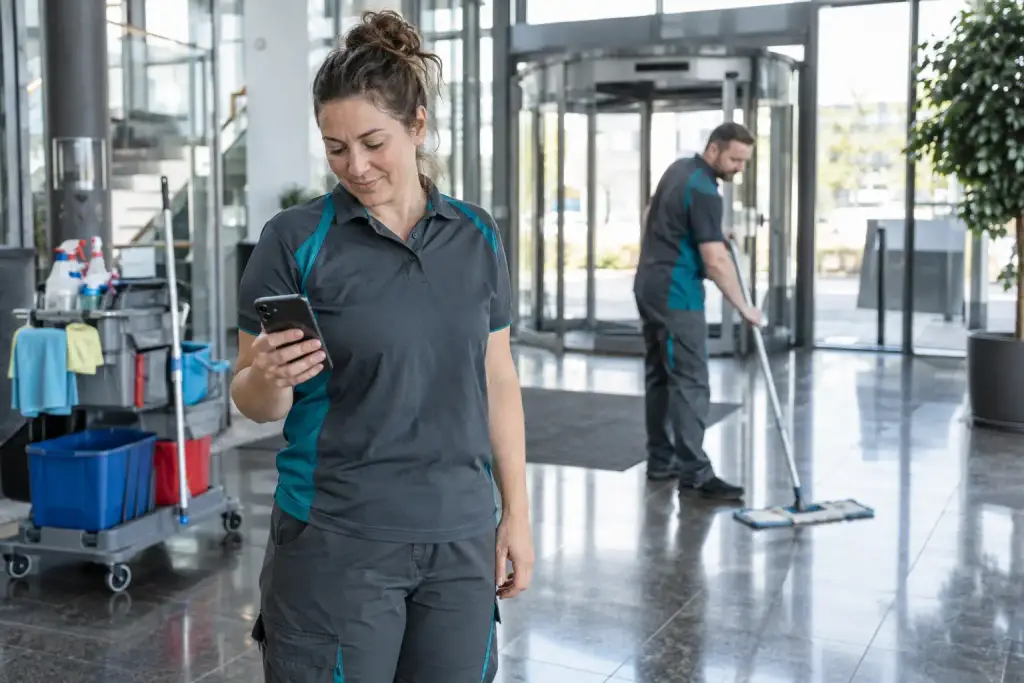
Professional cleaning team with digital time tracking
GPS
start & stop on site
PDF
record & report

Crew Active in 40 seconds

Plan jobs by drag and drop and see double bookings at once, the schedule on every worker's phone in their own language, clocking in with GPS proof, team chat and the hours in Excel for payroll. 40 seconds, with voice-over and captions. Recorded in the Crew Active apps with sample data.

Do You Know These Problems?

Crew Active solves the typical challenges of cleaning companies.

Problem
  • Paper timesheets
  • No on-site control
  • Complex payroll processing
  • Missing documentation
Solution
  • Digital time tracking via app
  • GPS location at start, pause and stop
  • Hours per employee as Excel export
  • Photos attached to the job

Everything for Your Cleaning Company

Crew Active was developed for the special requirements of the cleaning industry.

  • Mobile Time Tracking with GPS

    Your cleaning staff clock in via the app right at the site. The app saves the location at start, pause and stop. GPS is on for new accounts and can be switched off.

  • Plan Cleaning Intervals

    Set up daily, weekly or monthly cleaning as a series. Changes reach your team straight away in the app.

  • Photo Documentation

    Employees attach photos straight to the job, so you can show clients the state a site was left in.

  • Customers & Sites

    Customers with several site addresses. Each job carries notes for your team and internal notes only the office sees.
  • Records for Section 17 MiLoG

    Start, end and duration of working time are captured when staff clock in and out. Export the hours as Excel at any time.
  • Reports per Client

    Hours per client as Excel and a monthly billing proposal as PDF, as the basis for your invoice.
  • Checklists to tick off per site

    Set what is to be done at each site, each item with its own rhythm. Your team ticks it off on the job in the app, even without a signal, and you download the history per site as a PDF. On request: we release it, then you switch it on in your account.
  • Customer signature as proof of work

    After the stop, the customer signs on your employee's phone and enters their name. You see the signature on the job, and with GPS data it is also in the GPS proof PDF.

Also included, in every package

No extra charge, in the same app.

  • The app speaks 12 languages

    Turkish, Romanian, Polish, Hungarian, Spanish, Greek, Ukrainian, Russian and Bulgarian, plus German, English and Italian. Every employee picks their own language in the app.
  • Your own hourly price per customer

    The customer's price plus a surcharge per activity, or a fixed rate per job when you need one. It goes straight into the billing proposal.
  • DATEV export for your payroll office

    At the end of the month, download a LODAS file with each employee's hours in the browser, with holiday and sick leave if you need them.
  • Payslips straight to the phone

    Payslips, contracts and certificates are in the app, and new ones are marked. Employees send a sick note back as a photo.
  • Employees report “not available”

    In the app, no phone call. The office gets a push notification, and Crew Active warns you if you schedule them anyway. If someone calls instead, the office enters it itself.
  • Vacation requests in the app

    Request and approval in the app, and employees see their remaining vacation while they ask. Print any vacation request with signature lines.
  • Bring overtime over from your old system

    A time account with target hours per weekday, and in the office the balance up to yesterday. Enter the balance from your previous system as the starting value.

Checklists to tick off per site

Your team ticks off each site's tasks in the app, right on the job. You see what is done and keep a record for every site.

  1. Tick off on the job

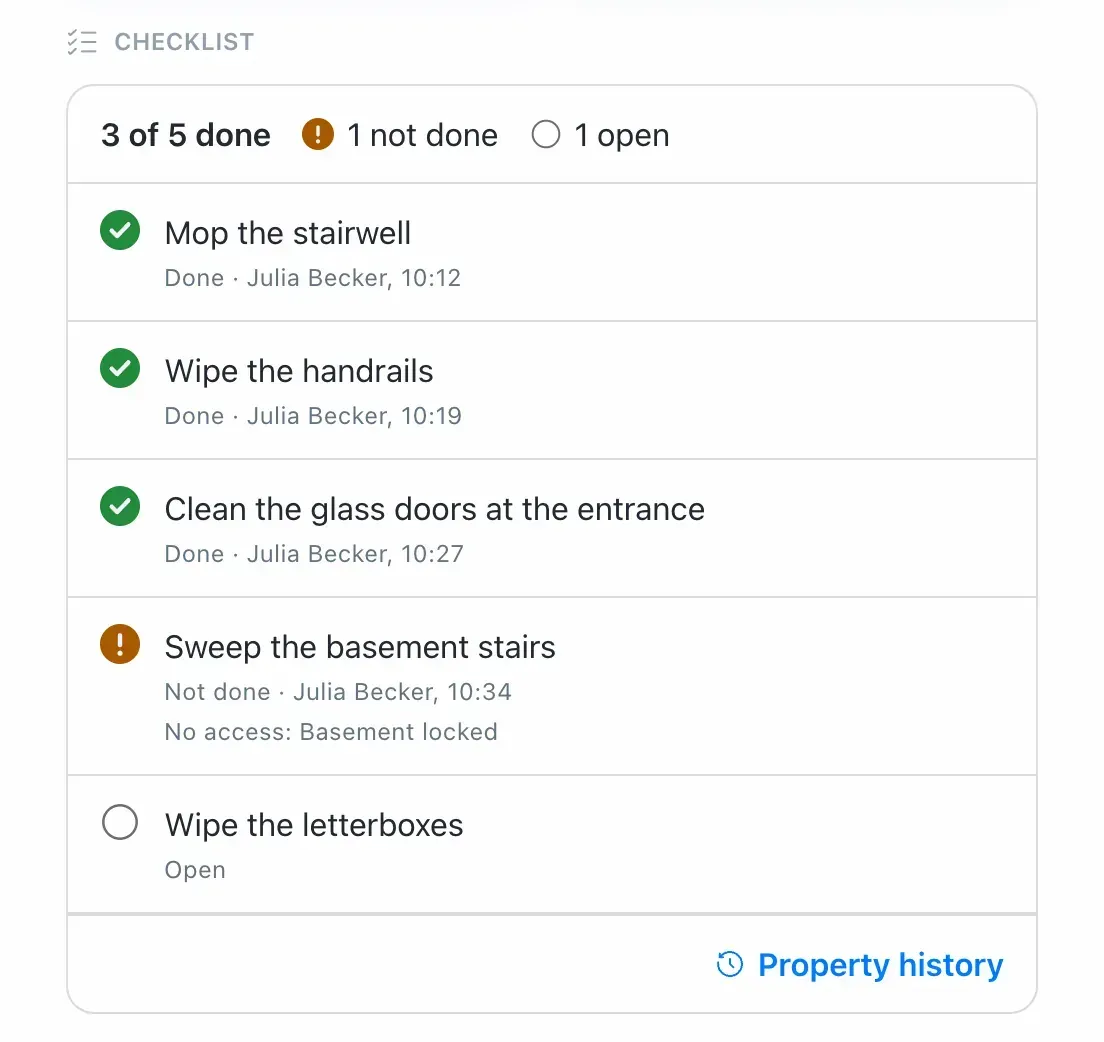
    Checklist on the job Stairwell cleaning, Lindenhof Residences: 3 of 5 done. Sweep the basement stairs: Not done, No access: Basement locked. Wipe the letterboxes: Every week, by 23.09. at the latest. 4 ticks saved on the phone, will be sent automatically. Illustrative example.
  2. See it in the office

    app.crew-active.de
    The same checklist at the job in the office: 3 of 5 done, 1 not done, 1 open, each ticked item with name and time. Illustrative example.
  3. Site history as a PDF

    Checklist · 01.09.2026 – 30.09.2026, Lindenhof Residences · Musterweg 1, 12345 Musterstadt. Status per item: Mop the stairwell, Every visit, every visit; Wipe the handrails, Every visit, every visit; Clean the glass doors at the entrance, Every week, by 23.09.2026; Sweep the basement stairs, Every week, by 23.09.2026; Wipe the letterboxes, Every week, by 23.09.2026. Days with a job: We 16.09.2026 · clocked 10:00–12:58 · Julia Becker. Illustrative example.

Illustrative example

  • One list per siteFor each site address, you set what needs doing. Each item has its own frequency, from every visit to once a year.
  • Ticked off in the appOn the job, your team marks each item: done, not done with a reason, or not needed today. It works in a basement with no signal too: the ticks are sent later.
  • At a glance in the officeYou see the ticks on the job, and the calendar flags anything that was not done.
  • History as a PDFDownload each site's history for a period as a PDF, for example for your client.

We move your data over for you

Switching from Excel or other software? Once signed up, send us your customers, staff and jobs as Excel, CSV, PDF or photos. We enter them for you, free.

Email us your data

To info@crew-active.de

Missing a feature?

Tell us what your business needs. We build it in, switched on just for you.

Request a feature

Try Scheduling & Time Tracking Free for 1 Month

No credit card · Trial ends by itself · then from €69 net / month for up to 5 employees

GDPR Compliant
Servers in the EU
Support in German, English and Italian

More

Resources
Account